
Online relationships, dating apps, and social platforms can be powerful places to meet people — but they can also hide deception.
Fake profiles, stolen photos, romance scams, and identity fraud are increasing every year.
You don’t need special software to protect yourself.
You don’t need hacking skills.
You don’t need to be an investigator.
With a few simple OSINT (Open-Source Intelligence) checks, you can verify whether someone online is real — safely, legally, and privately.
This guide walks you through the same steps I use when teaching beginners and helping vulnerable individuals identify scams.
1. Start With Their Photos (The Fastest Check)
One of the most common signs of a fake profile is stolen or reused images.
Scammers frequently take photos from:
- Modelling portfolios
- TikTok
- Facebook accounts
- Stock image sites
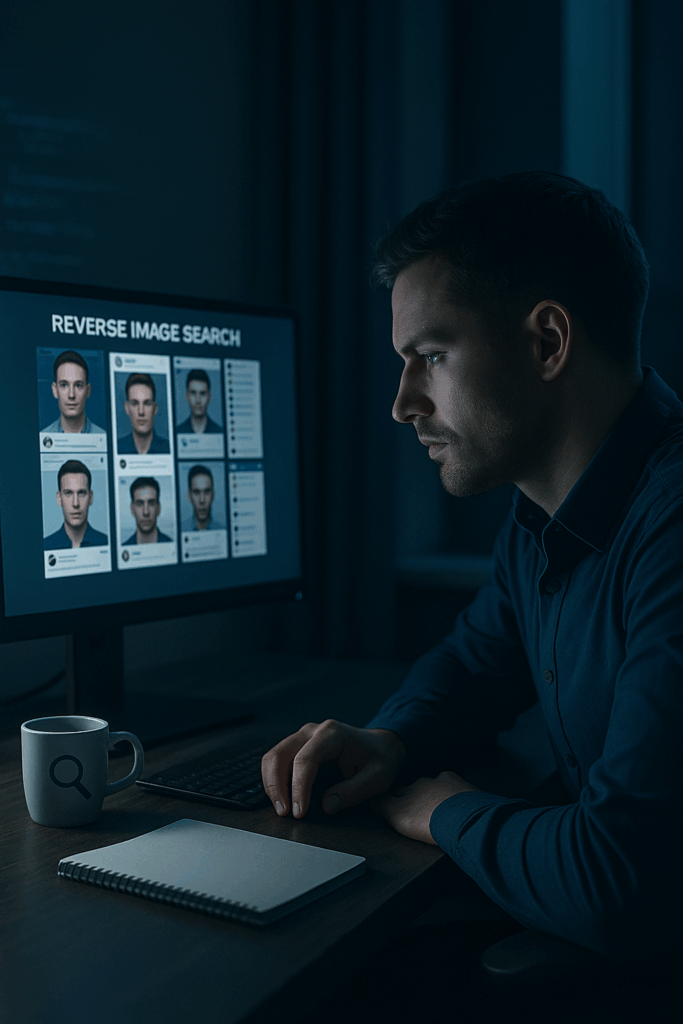
Reverse image searching reveals this instantly.
How to reverse-search a photo:
On desktop:
- Right-click the photo
- Select “Search image with Google” (or “Search Google for image” depending on browser)
On mobile:
- Screenshot the profile photo
- Open Google Lens, Chrome image search, or TinEye
- Upload the screenshot
What you’re looking for:
✔ The same photo appearing on other profiles under different names
✔ A photo used on multiple dating sites with inconsistent ages or locations
✔ A picture appearing on a modelling website or stock photo site
“If the same face appears under multiple identities, the profile is not genuine.“
2. Check Their Username Across Platforms
Usernames often reveal more than people expect.
Even if a scammer changes their name, many reuse the same username on old accounts.
How to check a username:
- Search it directly in Google
- Try it on social platforms: Instagram, X, TikTok, Facebook
- Use beginner-friendly tools like:
Sherlock (username search)
Maigret (expanded platform search)
These tools show where else the username appears across the internet.
Red flags:
✘ Same username used on accounts with different identities
✘ Username attached to deleted or inactive profiles
✘ Username showing up on scam forums or exposed lists
✘ Username used on hundreds of sites (bots often do this)
3. Look at Account Age and Activity
Scam accounts are usually recently created and lack natural activity.
Check for:
- When the account was created
- Whether posts match their story
- A timeline that makes sense (not all posted in one day)
- Consistent interactions with real people
- Photos taken in the same style, same time period, same locations
“Inconsistent timelines are a major indicator of deception.“
4. Check Their Social Circle
Real people have real connections.
Look for:
- Genuine conversations in comments
- Photos with friends or family
- Tagged posts from other accounts
- Mutual friends who also appear authentic
If their entire follower list looks empty, random, or generic → be cautious.
5. Watch for Behavioural Red Flags
Most scam or catfish profiles follow predictable behaviour patterns.
Common signs:
✘ Avoiding video calls
✘ Sharing only perfect, modelling-style photos
✘ Pushing emotional intimacy too quickly
✘ Being vague about job, family, or location
✘ Frequently changing their story
✘ Asking you to move to WhatsApp or Telegram immediately
✘ Using poor grammar despite claiming to be from an English-speaking country
✘ Claiming to be working “offshore” or “overseas”
The pattern becomes obvious once you look for it.
6. Look for Location Consistency
This is a subtle but powerful check.
Ask yourself:
- Do their posting times match their claimed time zone?
- Do background details in photos match their supposed country or city?
- Does their writing style match their claimed birthplace or background?
Scammers frequently claim to be from one country but write or behave as if they’re elsewhere.
7. Money Requests = Immediate Stop
There is no scenario in which someone you’ve never met should be asking for:
- travel money
- emergency funds
- mobile credit
- investment opportunities
- cryptocurrency transfers
- “temporary support”
- money to visit you
- help accessing their bank
“If money enters the conversation early, end the conversation immediately.”
Download the Full OSINT Safety Checklist
This checklist simplifies everything above into quick, actionable steps.
✔ Reverse image checks
✔ Username verification
✔ Profile consistency
✔ Red flags
✔ Safe OSINT tools for beginners
✔ When to walk away
Download the free checklist →
Need Help Verifying Someone?
I offer a pro bono OSINT safety check for vulnerable individuals who believe they may be dealing with:
- a scammer
- a catfish
- identity fraud
- suspicious online behaviour
This is handled confidentially, ethically, and safely.
Request a free safety check → send a request via our contact page
Learn More About OSINT
If you want to build real OSINT skills:
- Visit the Training page
- Read the guides on the blog
- Explore the free tools and workflows
- Or read the book for structured learning
OSINT is a powerful modern skill — and it begins with learning how to verify people safely.
This guide is for personal safety and education. It must not be used to harass, stalk, or target anyone. Always follow the law and respect other people’s privacy. For full terms, see our Legal & Privacy page.